

Last Updated: October 25, 2026
Quick Summary
Protecting legacy systems from modern ransomware means surrounding unpatchable machines with compensating controls: isolate them in their own network segment, harden configurations by removing unused services and accounts, enforce least privilege with multi-factor authentication, and keep at least one offline, immutable backup the legacy system cannot reach. Virtual patching blocks known exploits but does not fix the underlying flaw, so treat it as a bridge while you plan retirement or replacement.
- A legacy system is hardware or software still in production after its vendor stopped issuing security patches.
- Virtual patching blocks exploitation attempts at the network or host layer instead of fixing vulnerable code.
- Segment old machines into their own zone with default-deny firewall rules so infections cannot spread.
- Keep one backup copy offline and immutable, with separate credentials the legacy system cannot use to delete it.
- Score each legacy system on exposure, exploitability, criticality, recovery impact, data sensitivity, and operational constraints.
Table of Contents
- Why Legacy Systems Are Ransomware’s Favorite Target
- How to Secure Legacy Systems That Cannot Be Patched
- Network Segmentation for Legacy Systems
- Access Control and Continuous Monitoring Around Old Infrastructure
- Ransomware Backup Best Practices for Obsolete Software
- Building a Ransomware Incident Response Plan That Includes Legacy Systems
- Prioritizing Which Legacy Systems to Protect, Retire, or Replace
- Scheduling a Legacy Risk Review With TekaByte
- Frequently Asked Questions
Why Legacy Systems Are Ransomware’s Favorite Target
Protecting legacy systems from modern ransomware starts with an uncomfortable truth: the oldest machines on your network are usually the easiest way in.
Ransomware operators do not need a clever exploit for an unpatched server. They scan for known vulnerabilities, weak remote access, and default credentials, then move laterally.
The attack paths are predictable. Here is what we watch for:
- Unpatched internet-facing services. An old VPN appliance or web server with a public IP and no vendor support.
- Stolen remote access. Reused passwords or remote desktop exposed to the internet.
- Supply-chain gaps. A vendor connects to your network with no monitoring and drops malware on a shared drive.
The uncomfortable part: many businesses do not know which of their systems are end-of-life until an incident forces the inventory.
The Attack Paths That Reach Old Machines
Most ransomware reaches a legacy system through a chain, not a single step. An attacker phishes an employee, steals credentials, then pivots to a machine that has no endpoint protection because the agent will not install on an old operating system. The CISA stop ransomware guidance outlines this pattern and confirms that unpatched, internet-facing systems remain a leading initial access vector.
How to Secure Legacy Systems That Cannot Be Patched
You secure an unpatchable system by surrounding it with controls that compensate for the missing vendor fix.
Three controls do most of the work. First, isolate the machine so it only talks to the systems it must. Second, harden the configuration by removing every service, account, and share that is not essential. Third, monitor it closely because you cannot rely on the vendor to warn you.
A common mistake is treating a legacy machine as “set and forget.” In practice, the older the system, the more it needs active watching. NIST’s security and privacy controls framework, available through NIST SP 800-53, provides a formal basis for these compensating controls when a vendor patch is not an option.
Virtual Patching and Compensating Controls
Virtual patching is the practice of blocking exploitation attempts at the network or host layer instead of fixing the vulnerable code.
Compensating controls go further. You restrict which hosts can reach the machine, disable the risky feature entirely, or wrap the system in a monitored segment. The trade-off is honest: virtual patching reduces exposure but does not eliminate the underlying flaw.
Hardening Configurations and Cutting the Attack Surface
Attack surface reduction means turning off everything the system does not need. On an old server, that usually means disabling unused services, closing unnecessary ports, removing stale user accounts, and eliminating shared folders that spread ransomware laterally.
A practical checklist we use:
- Disable SMBv1 and any legacy file-sharing protocols
- Remove local administrator rights from day-to-day accounts
- Turn off unused services, print spoolers, and remote agents
Every service you switch off is one fewer thing an attacker can abuse.
Network Segmentation for Legacy Systems
Network segmentation for legacy systems means placing old machines in their own tightly controlled network zone so an infection cannot spread to modern infrastructure.
The logic is containment. If a legacy server gets hit, the damage stays inside its segment instead of reaching your file servers, domain controllers, and backups.
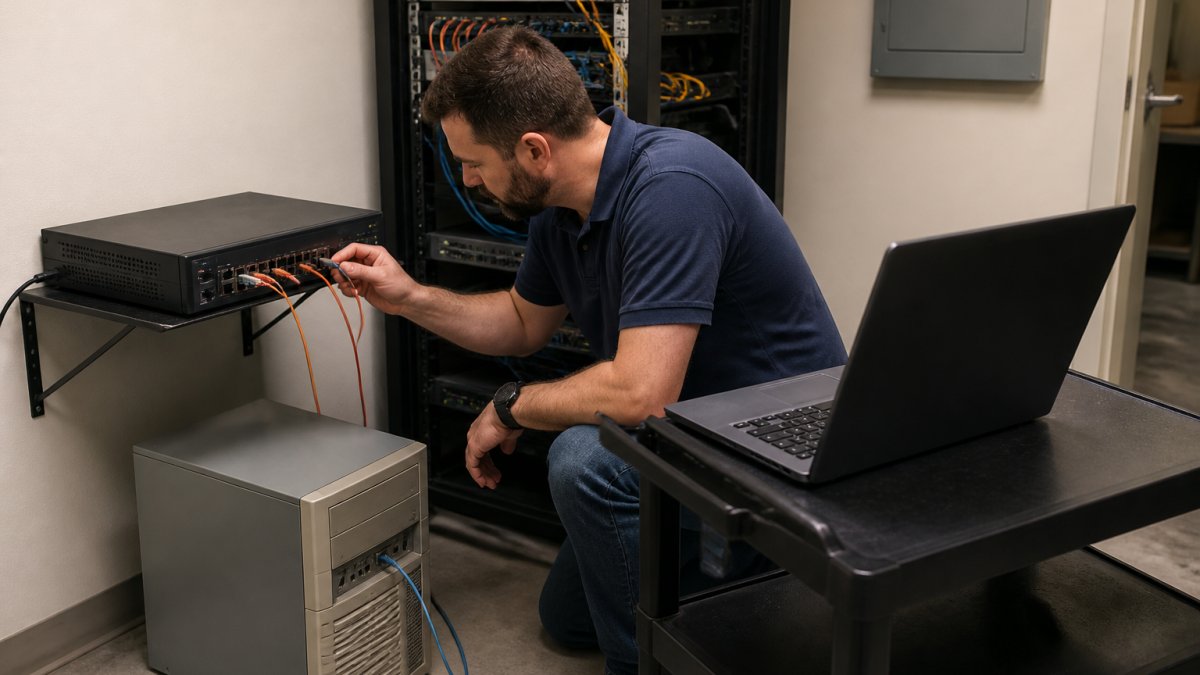
Start with a firewall rule set that denies all traffic by default and allows only the specific flows the legacy system needs. If designing and enforcing that segmentation in-house stretches your team, our IT Managed Services cover the design and implementation.
Access Control and Continuous Monitoring Around Old Infrastructure
Access control and continuous monitoring are how you catch what patching would have prevented. On a legacy system, least privilege is not optional.
Enforce multi-factor authentication on every remote access path, retire shared accounts, and give the legacy machine only the credentials it needs to do its job.
For teams without a dedicated security staff, ongoing monitoring around unpatched systems is exactly what our Cybersecurity services are built to provide.
Ransomware Backup Best Practices for Obsolete Software
Ransomware backup best practices for obsolete software rest on one rule: keep at least one copy offline and immutable, and make sure the legacy system cannot reach it.
Start by mapping what each legacy system actually depends on. A file server, a database, and a line-of-business application have different recovery units.
Then apply isolation and immutability in layers:
- Agentless or image-based capture. If the vendor agent will not run on the old OS, use storage-level snapshots or a network-based backup that reads the volume without installing software. Verify that the snapshot is application-consistent, or accept that you are restoring a crash-consistent image and test accordingly.
- Air-gapped or offline copy. Keep at least one backup copy on media or a repository that is not persistently mounted and not reachable by the legacy segment. Rotate it on a schedule and log every mount and dismount.
- Immutable retention. Configure object lock or WORM retention on the backup target so a compromised account cannot delete or shorten the retention window during an attack. Confirm that the legacy system’s service account has no delete or lifecycle permissions on that target.
Testing is where most programs fail. A backup you have never restored is a hope, not a plan.
Ransomware actors commonly delete volume shadow copies and disable backup services before deploying the payload. On legacy systems, those services are often already fragile, so verify after every patch cycle and configuration change that shadow copies and backup jobs are still running.
Finally, treat the backup as part of the containment plan. If a legacy system is isolated during an incident, the restore path must not require reconnecting it to the general network. Pre-stage the restore target, the credentials, and the network rules so recovery does not become the moment the team improvises. The reminder in this piece on backup plans is worth heeding before an incident, not after.
Building a Ransomware Incident Response Plan That Includes Legacy Systems
A ransomware incident response plan that includes legacy systems spells out, in advance, who isolates the old machine, who restores it, and what “acceptable downtime” means for it.
Define recovery time and recovery point objectives for each legacy system. Run a tabletop exercise so the team practices containment before a real attack. The companies that recover quickly are not making decisions during the crisis; they are following a plan built well before it.
Prioritizing Which Legacy Systems to Protect, Retire, or Replace
You cannot protect everything equally, so rank each legacy system on a consistent set of factors and let the score drive the action.
Score each system from 1 to 5 on six factors:
- Exposure. Internet-facing, reachable from a broad internal segment, or isolated.
- Exploitability. Known public vulnerabilities, default or weak credentials, unsupported remote access, or no compensating controls in place.
- Business criticality. Revenue impact, regulatory exposure, and whether operations stop without it.
Multiply exposure by exploitability to get a risk-of-entry score, and multiply criticality by recovery impact to get a risk-of-loss score. The combination tells you where to spend first:
| Risk of Entry | Risk of Loss | Recommended Action |
|---|---|---|
| High | High | Segment hard, virtual patch, continuous monitoring, and fund replacement now |
| High | Low | Retire or decommission first; it is the cheapest risk to remove |
| Low | High | Isolate, test restores, and plan replacement on a defined timeline |
| Low | Low | Retire when convenient or fold into routine refresh |
Two adjustments matter in practice. First, a system with high operational constraints (no scanning, no downtime) should not be scored as if conventional controls are available; instead, prioritize network-level isolation and out-of-band monitoring, and treat any change window as a project with a rollback plan. Second, replacement cost should not override risk of loss.
Re-score the inventory at least annually and after any incident, acquisition, or vendor end-of-life announcement. If you are deciding whether to retire or host the migration, our IT Managed Services can assist with the move, and the scoring above gives you the evidence to justify the spend to leadership rather than arguing from instinct.
Scheduling a Legacy Risk Review With TekaByte
The gap between businesses that survive a ransomware attack and those that do not usually comes down to preparation.
We built TekaByte to give small and mid-sized businesses enterprise-grade security without the enterprise overhead. Our 100% US-based support, phones answered live by real people during business hours, and flat monthly fee structure mean you get proactive protection and predictable costs.
Get started with TekaByte and turn your oldest, riskiest machines into systems you actually control.
Frequently Asked Questions
How can you protect a legacy system from ransomware?
Start by isolating it. Put legacy systems on their own network segment behind a firewall so ransomware on a modern workstation cannot reach them directly. Then restrict who can log in, turn off services and accounts nobody uses, and keep an offline copy of the data the system holds. Add monitoring so unusual file activity gets flagged. Patching is ideal, but when it is not possible, these compensating controls are what actually reduce risk for legacy systems.
How do you secure legacy systems that cannot be patched?
Use virtual patching through a firewall or intrusion prevention system to block known exploit traffic before it reaches the machine. Disable unnecessary services, ports, and default accounts. Enforce least privilege and multi-factor authentication on any remote access path. Log and monitor activity continuously, and test your backups so recovery is possible without paying. None of these fix the underlying flaw, but together they shrink the exposure to a manageable level while you plan a replacement.
Can network segmentation protect legacy systems from ransomware?
Yes, and it is often the single highest-value control. Ransomware spreads laterally across flat networks, so isolating legacy systems on a separate segment with strict firewall rules limits how far an infection travels. Segmentation for legacy systems also makes monitoring easier because traffic into and out of that segment is small and predictable. Keep the rules tight, document every allowed connection, and review them when staff or vendors change.
How should you back up data from legacy systems?
Follow the 3-2-1 rule: three copies, on two media types, with one offline and immutable. For obsolete software, the offline copy matters most because ransomware increasingly targets connected backups first. Test a full restore on a schedule, not just a file-level check, and record how long it takes so your recovery time objective is realistic. Store the backup media somewhere the legacy system itself cannot reach.
What should you do when a legacy operating system is no longer supported?
Treat it as a known, permanent vulnerability. Isolate it, restrict access, and monitor it closely while you build a replacement plan. Check whether the vendor offers extended support, and budget for migration rather than assuming the system can stay indefinitely. If the system holds regulated data, confirm the isolation meets your compliance obligations. Set a firm retirement date and track progress against it.
When should a business replace a legacy system instead of securing it?
Replace it when the cost of compensating controls, monitoring, and staff time exceeds the cost of migration, or when the system supports a process you can no longer staff. Also replace when the vendor is gone, when spare parts are unavailable, or when a failure would halt operations for days. Securing a legacy system buys time; it is not a permanent strategy. Put a date on the calendar and work toward it.
