
It’s 4:17 on a Friday afternoon.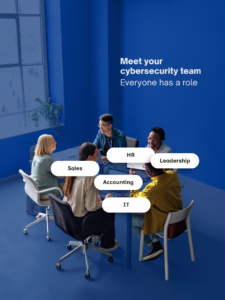
Everyone is trying to finish one last thing before heading home.
Then someone in accounting receives an email that appears to come from the owner:
“I need you to update this vendor’s banking information before you leave. Can you take care of it?”
The name looks right.
The writing sounds familiar.
The request seems important.
So the employee starts to respond.
There’s just one problem.
The owner never sent the email.
This is where cybersecurity gets interesting.
You can have strong IT Security.
You can have email filtering.
You can have multi-factor authentication.
You can have an excellent IT support team.
But technology can’t make every decision for your employees.
Sometimes the difference between a normal Friday afternoon and a very expensive Monday morning comes down to whether one person knows what to do when something doesn’t feel quite right.
For businesses in Raleigh and Greensboro, that’s an important cybersecurity lesson:
Your employees aren’t outside your cybersecurity strategy. They’re part of it.
The Cybersecurity Assumption That Can Leave Businesses Exposed
Many business owners think cybersecurity happens somewhere behind the scenes.
The firewall is running.
The computers have protection.
Updates are happening.
Someone is monitoring things.
So cybersecurity must be handled.
Part of it is.
But your defenses are also being tested every time an employee receives an unusual email, clicks a link, approves a login request, downloads a document, or responds to a payment request.
Those decisions happen across your entire organization.
Accounting.
Sales.
Operations.
Management.
Customer service.
Even the owner.
That’s why good cybersecurity isn’t something you simply hand over to the IT department and forget about.
Your business technology needs strong technical protection.
Your people need clear processes for using it safely.
Good Technology Can’t Make Every Decision for Your Employees
Modern cybersecurity tools can stop a lot.
That’s important.
But they can’t catch everything.
Today’s phishing emails can look surprisingly normal.
They may reference a real vendor.
Imitate a familiar writing style.
Use information about your company.
Or fit perfectly into an existing business conversation.
AI is making convincing messages easier to create, too.
So imagine your employee receives a request that looks like it’s from a trusted vendor saying:
“We’ve changed banks. Please use the attached payment information for all future invoices.”
What happens next?
Your email security may flag it.
It may not.
At some point, an employee may have to make a decision.
Do they trust it?
Do they respond?
Do they open the attachment?
Do they change the payment information?
Or do they stop and verify?
That’s where cybersecurity becomes a people issue as much as a technology issue.
“Be Careful” Isn’t an IT Security Strategy
Telling employees to be careful sounds reasonable.
But what does careful actually mean?
Imagine an employee receives something suspicious.
What should they do next?
Your team should know how to verify an unusual request, who to contact, how to report a suspicious email, and what to do if they’ve already clicked something they shouldn’t have.
Those instructions should be simple.
Because hesitation matters.
If an employee thinks:
“This seems strange, but I don’t want to bother IT,”
you’ve created a problem.
And if they think:
“I clicked something. I’d better keep quiet so I don’t get in trouble,”
you may have created an even bigger one.
Fast reporting gives your IT support team an opportunity to investigate and respond.
Silence takes that opportunity away.
Your Employees Shouldn’t Be Afraid to Raise Their Hands
There’s another side of cybersecurity that doesn’t get discussed enough.
Culture.
Imagine someone accidentally clicks a suspicious link.
They immediately report it.
What’s your company’s response?
Do you thank them for speaking up quickly?
Or do you embarrass them in front of everyone?
That response matters.
Because your other employees are watching.
If people are punished for admitting mistakes, they’ll learn to hide them.
If employees are brushed off when they question an unusual request, they’ll learn to stop asking.
Neither outcome helps your security.
You want employees comfortable saying:
“Something about this doesn’t look right.”
Or:
“I think I may have clicked something I shouldn’t have.”
You don’t need employees diagnosing cybersecurity incidents.
You need them reporting concerns quickly so the right people can investigate.
Leadership Sets the Cybersecurity Example
Employees pay attention to what leadership actually does.
Suppose the owner regularly bypasses security procedures because they’re inconvenient.
“Just send it to my personal email.”
“Don’t worry about verifying it. I approved it.”
“I don’t have time for that extra login step.”
What message does that send?
Security matters…
Unless you’re busy.
Unfortunately, cybercriminals don’t care how busy you are.
Business owners and managers need to follow the same security practices they expect employees to follow.
When leadership consistently verifies unusual requests, takes security training seriously, and reports suspicious activity, employees are much more likely to do the same.
That’s how security becomes part of the business instead of another policy nobody thinks about.
Computer Upgrades Are Part of the Conversation Too
Cybersecurity awareness is important, but employees shouldn’t have to compensate for outdated technology.
Aging computers and unsupported software can create reliability, compatibility, and security concerns.
That’s where computer upgrades and technology lifecycle management enter the picture.
Instead of waiting until a device becomes unreliable or can no longer meet the business’s needs, technology lifecycle management gives you a plan.
Which computers are aging?
What software is approaching end of support?
What equipment should be replaced next year?
What should be included in the technology budget?
That allows businesses in Raleigh and Greensboro to make deliberate decisions instead of emergency purchases.
Good cybersecurity combines people, processes, and technology.
Ignoring any one of those pieces can weaken the others.
What Managed IT Services Should Bring to the Table
Your employees shouldn’t have to figure this out alone.
Neither should you.
A provider offering managed IT services in Raleigh or managed IT services in Greensboro can help establish the technical protections and processes employees need.
That may include email security, endpoint protection, system monitoring, patch management, backups, account security, employee security awareness, and day-to-day IT support.
But the relationship should go further than tools.
A proactive IT partner should also help answer questions like:
Where are our biggest risks?
Do employees know how to report something suspicious?
Are aging computers creating unnecessary risk?
Are our backups actually recoverable?
Do we have a documented incident response process?
Does our current technology still fit the business we’ve become?
Those conversations are where IT Security becomes part of your broader business strategy.
Raleigh and Greensboro Businesses Need More Than an Annual Security Training
Cybersecurity awareness training matters.
But once a year isn’t enough to create good habits.
Your employees don’t need to become cybersecurity experts.
They need to recognize when something deserves a second look.
They need to know who to ask.
They need a simple way to report concerns.
And they need to know leadership wants them to speak up.
Combine those habits with strong IT Security, proactive IT support, appropriate computer upgrades, and good technology lifecycle management, and you’ve built something much more valuable than a collection of security products.
You’ve built a business that’s harder to fool.
Cybersecurity Works Better When Everyone Knows Their Role
Now go back to 4:17 on Friday afternoon.
The employee receives the unusual banking request.
But this time, they know exactly what to do.
They don’t click.
They don’t reply.
They don’t use the phone number in the suspicious email.
They follow the company’s verification process and report the message.
A few minutes later, everyone discovers it was fraudulent.
Nothing dramatic happens.
And that’s exactly the point.
Sometimes the best cybersecurity success story is the one nobody ever hears about.
Because someone knew what to do before a small problem became a big one.
Book a short discovery call here. We’ll talk about your current technology environment, where risks may be hiding, and how a more proactive approach to managed IT services can help protect your people and your business.
Frequently Asked Questions About Cybersecurity for Raleigh and Greensboro Businesses
Is cybersecurity really everyone’s responsibility?
Yes. Your IT provider can install and manage technical safeguards, but employees make security-related decisions every day. Email, passwords, payment requests, file sharing, login approvals, and suspicious links all involve human judgment. Strong cybersecurity combines technology with clear processes and employee awareness.
What should employees do when they receive a suspicious email?
Employees should avoid clicking links, opening attachments, or responding until the request has been verified. They should follow the company’s reporting procedure and contact the appropriate person or IT support team. For sensitive requests such as banking changes, verification should use a trusted contact method rather than information supplied in the suspicious message.
What are managed IT services in Raleigh?
Managed IT services Raleigh generally refers to ongoing professional management and support of a company’s technology. Services can include system monitoring, cybersecurity, help desk support, patch management, backups, disaster recovery, technology planning, and lifecycle management.
What are managed IT services in Greensboro?
Managed IT services Greensboro generally provide businesses with proactive technology management rather than relying solely on break-fix support. Depending on the provider, services may include IT Security, monitoring, employee support, backups, maintenance, technology planning, and cybersecurity guidance.
What’s the difference between managed IT services and regular IT support?
Traditional IT support often focuses on solving a particular problem after it occurs. Managed IT services typically add ongoing monitoring, maintenance, cybersecurity, planning, backups, and other proactive services designed to reduce problems before they interrupt the business.
Can cybersecurity training really help prevent attacks?
Training can help employees recognize suspicious behavior, verify unusual requests, and report concerns sooner. It works best when training is reinforced by clear company procedures, appropriate security technology, and a culture where employees feel comfortable reporting mistakes or suspicious activity.
Why are computer upgrades important for IT Security?
Aging devices can eventually lose compatibility with supported operating systems, applications, or security requirements. Planned computer upgrades help businesses replace outdated technology before reliability or support issues become larger operational or security concerns.
What is technology lifecycle management?
Technology lifecycle management is the process of tracking business technology from purchase through maintenance and eventual replacement. It helps Raleigh and Greensboro businesses anticipate computer upgrades, software changes, support deadlines, and technology expenses instead of waiting for something to fail.
How often should employees receive cybersecurity awareness training?
The source article emphasizes that building a security culture takes more than an annual training session. Ongoing guidance and reinforcement help employees maintain good habits as threats and business processes change.
What should a business do if an employee clicks a suspicious link?
The employee should report it immediately according to the company’s incident response process. They shouldn’t hide the mistake or attempt to solve the problem on their own. Quick reporting gives the IT or security team more time to investigate and determine what action is appropriate.
How can Raleigh and Greensboro businesses create a stronger cybersecurity culture?
Start by making security expectations clear, giving employees simple reporting procedures, reinforcing training, and encouraging people to verify unusual requests. Leadership should model the same behaviors. Employees should know that quickly reporting something suspicious is encouraged rather than punished.
How do I know whether my current IT Security is enough?
A good starting point is to review your technical safeguards, employee practices, account security, backups, incident response procedures, aging technology, and recovery readiness. Your IT partner should be able to explain where gaps exist and which improvements deserve priority.
Is Your Business Giving Employees the Tools—and Confidence—to Speak Up?
You don’t need every employee to become a cybersecurity expert.
You need them to recognize when something feels wrong and know exactly what happens next.
And you need business technology that supports them.
If you’re wondering whether your Raleigh or Greensboro business has gaps in its IT Security, IT support, computer upgrades, employee cybersecurity practices, or technology lifecycle management, a good first step is simply finding out where you stand.
Book a short discovery call here. We’ll talk about your current technology environment, where risks may be hiding, and how a more proactive approach to managed IT services can help protect your people and your business.