
Most Raleigh business owners know they should have a disaster recovery plan. 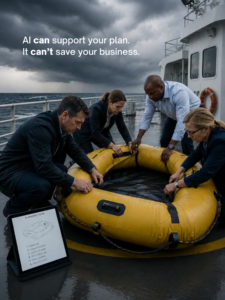
The problem usually isn’t knowing.
It’s doing.
Writing down procedures. Deciding who does what. Identifying which systems matter most. Thinking through what happens if the internet goes down, ransomware hits, or an important employee isn’t available.
That’s where good intentions tend to meet a blank document.
And blank documents are incredibly easy to put off until next month.
AI can help.
Not by creating a disaster recovery plan you blindly trust.
And definitely not by replacing your leadership team or IT support provider.
AI’s real value is much simpler:
It can help you get started.
Give AI your notes, ideas, and questions, and it can help turn them into something your team can review, challenge, improve, and eventually test.
For Raleigh businesses exploring how AI fits into their business technology strategy, disaster preparedness is one area where it can be genuinely useful.
Here are five practical ways to use it.
1. Turn What’s in Your Employees’ Heads Into Actual Documentation
Every business has a few people who know how everything works.
Ask them how to handle a particular problem and they’ll say:
“Oh, that’s easy. First you do this, then you call this person, then you change that…”
Wonderful.
Now imagine that person is on vacation when something goes wrong.
Suddenly, “everybody knows how to do it” becomes “does anybody know how to do it?”
AI can help get that knowledge out of someone’s head and onto the page.
For example, you could provide rough notes or an approved meeting transcript and ask AI to organize the information into a first draft covering:
- What to do when a critical application is unavailable.
- Who should be contacted during an outage.
- How an issue should be escalated.
- What employees should do if normal systems aren’t available.
- Which vendors or IT support contacts should be involved.
Then the people who actually understand the process can review it.
That’s the important part.
AI gives you the draft.
Your team determines whether the draft is right.
And editing something that already exists is usually much easier than staring at a blinking cursor.
2. Build First-Draft Emergency Checklists
Emergencies aren’t a great time for improvisation.
People are stressed.
Customers are waiting.
Employees want answers.
Phones start ringing.
That’s why simple checklists can be incredibly useful.
AI can help your team create first drafts for situations such as:
- A ransomware incident.
- A data breach.
- An extended internet outage.
- A server or critical system failure.
- Severe weather that affects operations.
- An important cloud application becoming unavailable.
- A key employee being unexpectedly unavailable.
You could also use AI to draft an internal communications checklist or a basic business continuity playbook.
But there’s a big catch.
AI doesn’t automatically know your Raleigh business.
It doesn’t know your systems.
It doesn’t know your employees.
It doesn’t know your contractual obligations or which customers need to hear from you first.
And it doesn’t automatically know your specific compliance requirements.
That’s why the output is a starting point, not the plan itself.
Someone with real knowledge of your business needs to review and approve it.
3. Use AI to Ask the Questions Nobody Thought to Ask
Sometimes the hardest part of disaster planning isn’t finding the answer.
It’s realizing you should have asked the question.
AI can be useful here.
Instead of asking:
“Write me a disaster recovery plan.”
Try using it to challenge your assumptions.
Ask questions such as:
“What should a professional services company consider if its internet is unavailable for an entire business day?”
Or:
“What questions should a small business ask when reviewing its ransomware response plan?”
Or:
“What dependencies are commonly overlooked in a business continuity plan?”
The answers won’t automatically apply to your company.
But they may make you think.
Maybe there’s an outside vendor nobody included in the plan.
Maybe you’ve never considered how employees would communicate without email.
Maybe there’s an aging server everyone depends on.
Maybe critical software is tied to one person’s account.
Those discoveries can lead to bigger conversations about IT Security, computer upgrades, backups, vendor management, and technology lifecycle management.
AI doesn’t need to identify your exact risk to be useful.
Sometimes it simply needs to help you ask a better question.
4. Translate Technical Information Into Business Language
Technology reports can be…a lot.
Backup reports.
Security assessments.
System inventories.
Technical recommendations.
Logs.
Risk findings.
They may contain valuable information, but that doesn’t mean a busy owner or leadership team immediately knows what to do with it.
AI can help summarize technical material into plain language.
For example, you might use an approved AI tool to help answer:
What is this document telling us?
What could this mean for normal business operations?
Which items should leadership discuss with our IT provider?
That can make conversations with your technology partner more productive.
Your leadership team doesn’t need to understand every technical detail.
They need enough clarity to make good business decisions.
Is this urgent?
Can it wait?
Is there a security concern?
Do we need to budget for computer upgrades?
Is aging technology creating unnecessary risk?
Those are business questions.
Your technology should eventually lead to answers your leadership team can understand.
5. Use AI to Help Keep Plans From Collecting Dust
Here’s another problem with disaster recovery plans.
You create one.
Everyone feels accomplished.
It goes into a folder.
And six months later, half of it is wrong.
Someone left.
Another employee changed roles.
You replaced software.
A vendor changed.
New computers were installed.
Your cybersecurity requirements changed.
The business simply moved on.
AI can help make reviewing those documents less tedious.
Your team could use it to compare an existing procedure against approved updates, reorganize documentation into a consistent format, or create a revised draft reflecting changes your team provides.
This can also complement technology lifecycle management.
As equipment, software, vendors, and systems change, your documentation needs to keep pace.
Just remember:
AI can help update the draft.
A person still needs to verify that it’s accurate.
Where AI Stops and Real Preparedness Begins
This is the part I don’t want Raleigh business owners to miss.
AI can write a beautiful disaster recovery document.
It can organize it.
Give it headings.
Create checklists.
Make it look incredibly professional.
None of that proves your business can actually recover.
AI cannot physically test whether your backups restore correctly.
It cannot guarantee that your recovery timeline matches reality.
It doesn’t automatically understand every dependency inside your technology environment.
It can’t coordinate your employees during an actual outage.
And it can’t replace the experience and accountability of the people responsible for keeping your business running.
That’s where testing matters.
That’s where leadership matters.
And that’s where the right IT partner matters.
Where Managed IT Services Fit Into Disaster Preparedness
Think of AI as helping you prepare the questions and organize the paperwork.
Your IT partner helps determine whether the plan works in the real world.
A provider offering managed IT services in Raleigh can help evaluate the actual technology behind the plan.
That can include your backups, cybersecurity protections, hardware, software, network, recovery procedures, and critical business systems.
They can also help you answer questions AI can’t verify:
Can we actually restore the data?
How long will recovery really take?
Which systems should come back first?
Is our IT Security strong enough?
Is aging hardware increasing our risk?
Are upcoming computer upgrades part of our recovery strategy?
Does our technology lifecycle management plan account for critical equipment reaching the end of its useful life?
That’s how you move from:
“We have a plan.”
to:
“We know our plan works.”
And there’s a very big difference between the two.
Raleigh Businesses Can Use AI Without Betting the Business on It
Raleigh and the Research Triangle are surrounded by innovation.
So it’s natural for local businesses to wonder how AI can help them work smarter.
Disaster preparedness is a great example.
Use AI to get unstuck.
Use it to organize.
Use it to create first drafts.
Use it to surface questions.
Use it to simplify complicated information.
But don’t confuse a polished AI-generated document with a tested recovery strategy.
Your employees, leadership team, and IT provider still need to make the decisions.
Because when something actually goes wrong, you don’t need a document that sounds prepared.
You need a business that is prepared.
👉 Book a short call with us here or Call (888) 836-3455 if you want to be better prepared.
Frequently Asked Questions About AI and Disaster Recovery for Raleigh Businesses
Can AI create a disaster recovery plan for my Raleigh business?
AI can help create a first draft, organize information, generate checklists, and identify questions your team should consider. However, an AI-generated plan should be reviewed by your leadership team and qualified IT professionals. The plan also needs to be tested against your actual technology environment before you depend on it.
How can Raleigh businesses use AI for disaster preparedness?
Businesses can use AI to help document procedures, draft emergency checklists, identify questions to investigate, summarize technical information, and update existing documentation. AI is most useful as a planning assistant rather than the final authority on disaster recovery.
Can AI test my company’s backups?
No. AI may help explain backup documentation or organize testing procedures, but it cannot prove that your actual backups can be restored. Real recovery testing is necessary to determine whether your backup and disaster recovery systems work as expected.
How does IT Security fit into disaster recovery?
IT Security helps reduce the likelihood and impact of incidents such as ransomware, compromised accounts, and data breaches. Disaster recovery focuses on restoring critical systems and operations after a disruption. Raleigh businesses need both prevention and recovery planning.
What do managed IT services in Raleigh have to do with disaster recovery?
A managed IT services Raleigh provider can help evaluate your actual systems, monitor technology, manage backups, strengthen cybersecurity, document critical infrastructure, test recovery procedures, and help leadership understand how quickly the business could recover after an outage.
Can old computers and servers affect disaster recovery?
Yes. Aging or unsupported equipment can create reliability, compatibility, and security concerns. Planned computer upgrades and technology lifecycle management can help identify aging equipment before a failure creates an unexpected business interruption.
What is technology lifecycle management?
Technology lifecycle management is the process of planning how hardware, software, and other business technology will be purchased, maintained, secured, upgraded, and eventually replaced. It helps businesses avoid relying on aging technology until it unexpectedly fails.
How often should a disaster recovery plan be updated?
There isn’t one schedule that fits every organization. A plan should be reviewed regularly and whenever meaningful changes occur, such as new employees, new software, infrastructure changes, new vendors, or changes to critical business processes. A plan that’s no longer accurate can create false confidence.
What’s the difference between IT support and disaster recovery planning?
Day-to-day IT support focuses on helping employees resolve technology problems and keep working. Disaster recovery planning focuses on how the organization will restore critical systems and operations after a significant disruption. A proactive managed IT relationship can include both.
Is it safe to put company information into an AI tool?
Businesses should be careful about what information employees enter into AI systems. Sensitive customer information, passwords, confidential business data, security details, and regulated information should not be placed into an AI service without understanding the tool, your company’s policies, and the applicable data-handling requirements.
Can AI replace my managed IT provider?
AI can make certain planning and documentation tasks faster, but it cannot replace hands-on monitoring, technical testing, recovery execution, cybersecurity management, or strategic accountability. AI and a proactive IT provider can complement each other, but they perform very different jobs.
What’s the first step for a Raleigh business that doesn’t have a disaster recovery plan?
Start by identifying the technology and information your business cannot operate without. Then document who is responsible during an outage, how employees will communicate, what needs to be restored first, and how backups will be used. Your IT provider can then help validate those assumptions and test whether the recovery strategy works in practice.
Is Your Raleigh Business Prepared—or Just Assuming It Is?
AI can help you put ideas on paper.
But the real question is whether those ideas hold up when your business needs them.
When were your backups last tested?
Do employees know what happens during an outage?
Is your IT Security keeping pace with your business?
Are aging systems or overdue computer upgrades creating unnecessary risk?
And does your current IT provider know exactly how your business would recover?
If you’re not sure, book a short discovery call here. We’ll talk about where your Raleigh business stands today and where proactive IT support, disaster recovery planning, security, and technology lifecycle management could help close the gaps before you have to discover them during a real emergency.