
If your Raleigh business couldn’t operate tomorrow morning, would your leadership team know exactly what to do? 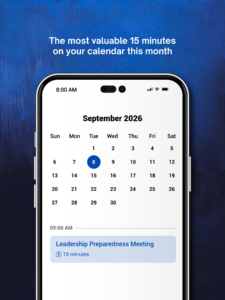
Not eventually.
Not after three meetings and six phone calls.
Right away.
It’s an uncomfortable question, but it’s an important one.
Most businesses have backups. They have insurance. They have security tools. They have an IT support number somewhere.
But being protected and being prepared aren’t always the same thing.
You usually don’t discover the difference until something goes wrong.
September is National Preparedness Month, which makes this a good time for Raleigh business owners to ask a simple question:
If something disrupted our business tomorrow, how quickly could we get back to work?
You don’t need an all-day planning retreat to begin answering that question.
Give your leadership team 15 minutes and ask these five questions.
1. If We Went Down Tomorrow, What Would We Need Back First?
Imagine walking into your Raleigh office tomorrow morning and discovering your systems are unavailable.
Where do you start?
It’s tempting to say, “Get everything working.”
But during a real disruption, not everything carries the same weight.
Your accounting system may be critical.
Your employees may need access to shared files.
A medical practice may need scheduling and patient information.
A professional services firm may depend on email, documents, and client management software.
A construction company may need project files and cloud applications available before crews can move forward.
Your leadership team should know which systems are absolutely necessary to keep customers served, employees productive, and revenue moving.
Decide that now.
Because during an outage, you don’t want to spend the first hour deciding what’s important.
2. Who Gets to Make the Call?
Emergencies have a funny way of exposing fuzzy responsibilities.
Everyone thinks someone else is handling something.
One employee calls the software vendor.
Another calls your IT support company.
Someone contacts the owner.
Someone else starts emailing customers.
Meanwhile, nobody is quite sure who’s actually leading the response.
That’s how a technology problem turns into an operational mess.
Your leadership team should know:
Who coordinates the response?
Who communicates with employees?
Who contacts customers if necessary?
Who communicates with vendors?
Who works directly with your managed IT services provider?
You don’t need a complicated command structure.
You need clarity.
When everyone knows their role, your business can respond instead of scramble.
3. How Would We Communicate If Our Normal Technology Didn’t Work?
This one gets overlooked.
We rely so heavily on email, Microsoft Teams, cloud applications, VoIP phones, and other business technology that it’s easy to forget those tools may be part of the outage.
So ask your leadership team:
What happens if email isn’t available?
How will employees receive instructions?
What happens if the phone system goes down?
How will customers reach you?
Where will leadership communicate if your usual collaboration platform is unavailable?
Your backup communication plan doesn’t have to be fancy.
It just has to exist.
Because when something goes wrong, silence creates uncertainty—and uncertainty spreads quickly.
4. What’s the One Thing Our Business Depends on Too Much?
Every business has one.
Sometimes it’s obvious.
Sometimes nobody notices it until it’s gone.
Maybe it’s a software platform.
Your internet connection.
An outside vendor.
An aging server.
Or maybe it’s Susan.
You know Susan.
Susan has worked there forever, and she’s the only person who knows how that one process actually works.
That’s a business dependency.
And dependencies become risks when there isn’t a backup plan.
This is where technology lifecycle management becomes important.
Your business should know which computers, servers, applications, vendors, and processes are becoming critical—or outdated—before one of them fails.
Regular computer upgrades, system reviews, documentation, and backup planning aren’t about buying shiny new technology.
They’re about making sure one failure can’t bring everything else to a stop.
5. What Would We Wish We’d Done Yesterday?
This may be my favorite question.
Imagine the problem has already happened.
Your systems are down.
Employees are waiting.
Customers need answers.
Now ask:
“What do I wish we’d done yesterday?”
Maybe you’d wish someone had tested the backups.
Maybe you’d wish you’d replaced that aging server.
Maybe you’d wish employee contact information was updated.
Maybe you’d wish your team had practiced its recovery plan.
Or maybe you’d wish someone had reviewed your IT Security before the incident happened.
Whatever answer immediately comes to mind deserves your attention.
Because you’ve probably just identified something your business already knows it needs to address.
What Does Your Raleigh IT Provider Have to Do With This?
A lot.
The right technology partner shouldn’t only appear after something breaks.
Good managed IT services in Raleigh should help you prepare before the emergency happens.
That means helping your business:
Identify technology and operational risks.
Strengthen IT Security.
Test backups and recovery procedures.
Document critical systems and processes.
Plan computer upgrades before equipment fails.
Monitor systems for problems.
Create a technology lifecycle management strategy.
Connect technology decisions to your business goals.
Most importantly, your IT partner should be able to explain all of this without making you feel like you need a computer science degree to understand it.
Because preparedness isn’t really an IT problem.
It’s a business problem.
Raleigh Businesses Can’t Prevent Every Disruption. They Can Prepare for One.
Raleigh and the greater Triangle are full of growing businesses.
And growth usually means more employees.
More devices.
More cloud applications.
More customer data.
More vendors.
More moving pieces.
That’s exciting.
But it also means yesterday’s technology plan may not fit today’s business.
You can’t guarantee that you’ll never experience an outage, cyberattack, equipment failure, or unexpected disruption.
You can make sure your team isn’t starting from scratch when it happens.
So put 15 minutes on the calendar.
Bring your leadership team together.
Ask these five questions.
You may discover you’re in great shape.
Or you may uncover a few things you’ve been assuming someone else was handling.
Either answer is valuable.
Because it’s much better to discover the gap during a 15-minute meeting than during a Monday morning emergency.
👉 Book a short call with us here or Call (888) 836-3455.
Frequently Asked Questions About IT Preparedness for Raleigh Businesses
What should be included in an IT disaster recovery plan?
An IT disaster recovery plan should identify your most critical systems, establish recovery priorities, assign responsibilities, document backup and recovery procedures, and explain how employees and customers will be kept informed. The goal is to know what happens next before an outage occurs.
How often should a Raleigh business test its backups?
There isn’t one schedule that’s right for every business. Testing frequency should reflect how critical your data is, how quickly it changes, and how much downtime your company can tolerate. The important part is actually performing recovery tests rather than assuming a successful backup notification means your data can be restored.
What’s the difference between a backup and disaster recovery?
A backup gives you another copy of your data. Disaster recovery is the broader process of restoring the systems and technology your company needs to operate. Having backups is important, but a business also needs to know how those backups will be used during an actual disruption.
Why is technology lifecycle management important for Raleigh businesses?
Technology lifecycle management helps businesses plan for hardware, software, licensing, maintenance, and replacement before aging technology creates an emergency. Instead of waiting for a computer or server to fail, Raleigh businesses can plan computer upgrades and other technology investments around budgets and business priorities.
How do I know when it’s time for computer upgrades?
Slow performance, recurring crashes, compatibility problems, increasing repair needs, and aging or unsupported technology can all be signs that an upgrade should be considered. Your IT provider can evaluate the equipment and help determine whether repairing, replacing, or continuing to use it makes the most business sense.
What does IT Security have to do with business continuity?
IT Security and business continuity work together. Cyberattacks, ransomware, compromised accounts, and other security incidents can interrupt normal operations just like equipment failures or outages. Strong security helps reduce the chance of disruption, while a recovery plan helps your business respond if one occurs.
What should managed IT services in Raleigh include?
The exact services depend on the provider and your needs, but managed IT services may include proactive monitoring, cybersecurity, backup management, help desk support, technology planning, vendor coordination, computer lifecycle planning, and disaster recovery preparation. The bigger question is whether your provider is helping you prevent problems as well as responding to them.
How can an IT support provider help prepare my business for an outage?
A proactive IT support provider can help identify critical systems, document dependencies, test backups, establish recovery priorities, strengthen security, and clarify who does what during an emergency. That preparation can reduce confusion when something unexpected happens.
Does a small Raleigh business really need a business continuity plan?
Size doesn’t determine how damaging downtime can be. If your Raleigh business depends on computers, cloud applications, customer information, internet access, or other technology to operate, it’s worth having a documented plan for how you’ll continue or restore essential operations after a disruption.
What’s the first step toward improving our IT preparedness?
Start with the five questions in this article. Identify what your business needs most, who owns the response, how you’ll communicate, where your biggest dependencies are, and what you wish you had already prepared. From there, your leadership team and IT partner can prioritize the gaps that matter most.
How Prepared Is Your Raleigh Business?
You don’t need to overhaul everything tomorrow.
You need to know where you stand.
If you’re unsure whether your backups will restore, your IT Security is keeping pace, your aging equipment needs attention, or your team knows what to do during an outage, that’s a good place to start.
👉 Book a short call with us here or Call (888) 836-3455, and let’s talk about where your Raleigh business is today, where the gaps may be, and what makes sense to address next.