
Let me paint a quick picture. 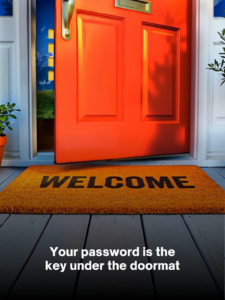
You walk up to a house… lift the welcome mat… and there’s a key sitting right underneath.
It’s easy. Convenient.
And exactly where someone would look if they wanted to get in.
Now here’s the uncomfortable part:
👉 That’s how most businesses treat their passwords.
How One Small Habit Opens Every Door
Most people think a breach starts with their business.
It usually doesn’t.
It starts somewhere random:
- An online store you used once
- A food delivery app
- Some account you forgot you even had
That company gets breached… and suddenly your email and password are out there.
From there, attackers don’t guess.
They reuse.
They take that same login and try it everywhere:
- Banking
- Business apps
- Cloud systems
And if you’ve reused that password?
👉 One leak just unlocked everything.
It’s like carrying one key that opens your house, your office, your car… everything.
Lose it once—and it’s all exposed.
And here’s the part most people don’t realize:
👉 Almost everyone does this.
Password reuse isn’t rare. It’s the norm.
“But My Password Is Strong…”
I hear this one all the time.
“It has a capital letter… a number… a symbol… I’m good.”
And I get it—that used to be enough.
But things have changed.
Today, systems can test billions of password combinations in seconds.
So something like:
👉 “P@ssword123!”
…isn’t as strong as it feels.
What actually holds up better?
👉 Longer, more random phrases.
But even then… here’s the truth most people miss:
A strong password is still just one layer.
And one layer can fail.
The Real Problem Isn’t Strength—It’s Exposure
You can have a “perfect” password.
But if it gets:
- Reused
- Phished
- Or exposed in another breach
…it doesn’t matter how strong it was.
That’s why this isn’t really about creating better passwords.
👉 It’s about building a better system around them.
The Simple Fix Most Businesses Skip
I always come back to two things.
Not complicated. Not expensive. Just… overlooked.
1. A Password Manager
This takes all the pressure off your team.
Instead of remembering passwords…
it creates and stores them for you.
Every login gets its own unique password.
So if one account is exposed?
👉 It doesn’t affect anything else.
No more “master key” problem.
2. Multi-Factor Authentication (MFA)
Think of this like a second lock on the door.
Even if someone gets your password…
They still need a second step:
- A code
- An app approval
- Something tied to your device
Without that?
👉 They’re not getting in.
Why This Actually Matters
Here’s what I’ve learned:
Security doesn’t break because people are careless.
It breaks because people are… human.
- We reuse passwords
- We forget to update things
- We click fast when we’re busy
And that’s normal.
Good systems don’t expect perfection.
👉 They protect you anyway.
A Quick Reality Check
Just think about this for a second:
- Are any passwords reused across your team?
- Are there accounts without that second layer of protection?
- Would you know if one login was exposed somewhere else?
If you’re not 100% sure…
That’s usually where the risk lives.
Where I Come In
This isn’t about turning you into a security expert.
You’ve got a business to run.
This is about making sure something small—like a password—doesn’t quietly become a big problem.
If your setup is already solid?
That’s amazing. You’re ahead of most.
If not?
This is one of the easiest fixes you can make… and one of the most important.
If you want to take a quick look at how your team is handling passwords—and where things might be exposed—I’m always here for a simple conversation.
No pressure. No tech talk.
Just clarity.
👉 Book a short call with me here or Call (888) 836-3455.
And if you know someone still using the same password they set up years ago…
Send this their way.
Because fixing it is a lot easier than dealing with what happens if you don’t.